File verification, APKS for arm64-v8aSignature matches the developer’s certificate
Unmodified file: exactly the file the official app store serves, with the developer’s certificate, signed by Krzysztof Głodowski. A signature shows who signed the file, not how the app behaves. For APKS, the check covers the base APK: Android installs the other parts only if they are signed with the same key.
Signature checked
File verification, APKS for armeabi-v7aSignature matches the developer’s certificate
Unmodified file: exactly the file the official app store serves, with the developer’s certificate, signed by Krzysztof Głodowski. A signature shows who signed the file, not how the app behaves. For APKS, the check covers the base APK: Android installs the other parts only if they are signed with the same key.
Signature checked
File verification, APKS for x86Signature matches the developer’s certificate
Unmodified file: exactly the file the official app store serves, with the developer’s certificate, signed by Krzysztof Głodowski. A signature shows who signed the file, not how the app behaves. For APKS, the check covers the base APK: Android installs the other parts only if they are signed with the same key.
Signature checked
Hi, There you can download APK file "Solid Explorer" for Android free, apk file version is 3.6.5 to download to your android device just click this button. It's easy and warranty. We provide only original apk files. If any of materials on this site violates your rights, report us
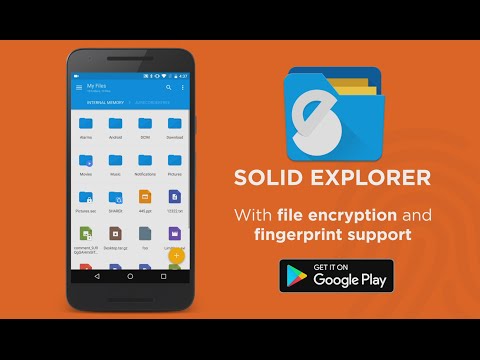
Solid Explorer is a powerful file manager that gives you full control over files on your device, in the cloud, and across your network.
🗄️ Dual-pane layout — drag and drop files between two panels
🔐 AES-256 encryption — lock files with password or fingerprint
🖥️ Cloud & network access — Google Drive, OneDrive, Dropbox, SMB, SFTP, FTP & more
🌐 Web file sharing — send files to any device with a web browser
Manage files your way
Navigate two folders side by side and drag files between panels — the fastest way to organize storage. Use indexed search to find anything instantly, batch rename files with patterns, and browse collections that automatically sort your Downloads, Photos, Videos, Music, Documents, and Apps.
Access all your storage in one app
Connect to Google Drive, OneDrive, Dropbox, Box, Mega*, MediaFire, Yandex, Owncloud and SugarSync. Access NAS drives and servers over SMB/CIFS (Samba), SFTP, FTP, and WebDAV. Transfer files between any two locations — cloud to cloud, server to phone, or SD card to NAS — just drag between panels.
Share files with any device
Start the built-in web server and share files with any phone, tablet, or computer on your network — the other device just needs a web browser. No app install needed on the receiving end.
Keep your files private
Encrypt sensitive files with AES-256 and lock them behind a password or fingerprint. Encrypted files stay protected even if you uninstall the app — no account required.
Clean up and free storage
Analyze what takes up space, find duplicate and large files, and clean up junk — similar to dedicated cleaner apps, but built right into your file manager. Works across internal storage, SD cards, USB OTG drives, and even cloud storage like Google Drive, OneDrive, and Dropbox.
Full feature list:
• Dual-pane layout — manage two folders side by side
• Cloud storage — Google Drive, OneDrive, Dropbox, Box, NextCloud, SugarSync, MediaFire, Yandex, Mega*
• Network protocols — FTP, SFTP, SMB/CIFS (Samba), WebDAV
• Web file sharing — share files with any device via browser
• Storage analyzer — find duplicates, large files, and junk to clean up
• File encryption — AES-256 with password and fingerprint
• Archives — create and extract ZIP, 7ZIP, RAR, TAR
• Root explorer — browse system files on rooted devices
• Indexed search — find files instantly with filters
• Collections — Downloads, Recent, Photos, Videos, Music, Documents, Apps
• Built-in media — image viewer, music player, video player, text editor
• Batch rename — rename multiple files with patterns
• FTP Server — access your phone's files from PC
• Themes and icon sets — rich customization
• Chromebook & tablet support — mouse, keyboard and trackpad input
Follow us on Reddit: https://www.reddit.com/r/NeatBytes/
* with paid add-on
Explore the version history of Solid Explorer File Manager for Android and see how the app has evolved over time. This section tracks versions added to the apkcafe.in catalog, including download size, declared permissions, and Android compatibility. Select a time period or a point on a chart to explore historical version data.
26 new Solid Explorer File Manager versions were added to the apkcafe.in catalog in 2026. The catalog contains 96 versions dating back to June 2017.
The Solid Explorer File Manager download size for most phones increased from 10.3 MB in version 2.2.8 (2017) to 44.14 MB in version 3.6.5, a 329% increase. 32 of 96 versions in the catalog are APKS (split APK), starting with version 2.8.8 (February 2021).
Solid Explorer File Manager 3.6.5 declares 29 permissions, 14 more than version 2.2.8 from 2017 (15).
Solid Explorer File Manager 3.6.5 requires Android 6.0 or newer and is built for Android 16; version 2.2.8 from 2017 ran on Android 4.1 or newer.
Older versions of Solid Explorer File Manager. The apkcafe.in catalog has 96 versions of Solid Explorer File Manager, from 2.2.8 (Jun 2017) to Solid Explorer File Manager 3.6.5 (Nov 20, 2026). If the latest version has a bug, changed something you rely on or does not work on your phone, you can install an earlier one from the list of older Solid Explorer File Manager APK versions below.
Version 3.6.5 needs Android 6.0 or newer. On older phones: Android 5.0 runs up to version 2.8.63 (Jun 2025), Android 4.1 runs up to version 2.8.13 (Jul 2021).
Android does not install an older version over a newer one, so uninstall Solid Explorer File Manager first. This usually deletes the app's data on the phone, so back up anything you need.
Dates show when each version was added to the apkcafe.in catalog. Size is the full download for most phones (APK and split parts); permissions are for the same build.
